AI client portal builder

Build a Client Portal with AI. One Your Clients Can Rely On.

Ditch the spreadsheets and email threads. Build a secure, branded customer portal your clients will actually log into.

Get started for free

No credit card required

Trusted by1,000+ teams
G2
★★★★★
4.9/5 · 30+ reviews
Capterra
★★★★★
5.0 on Capterra
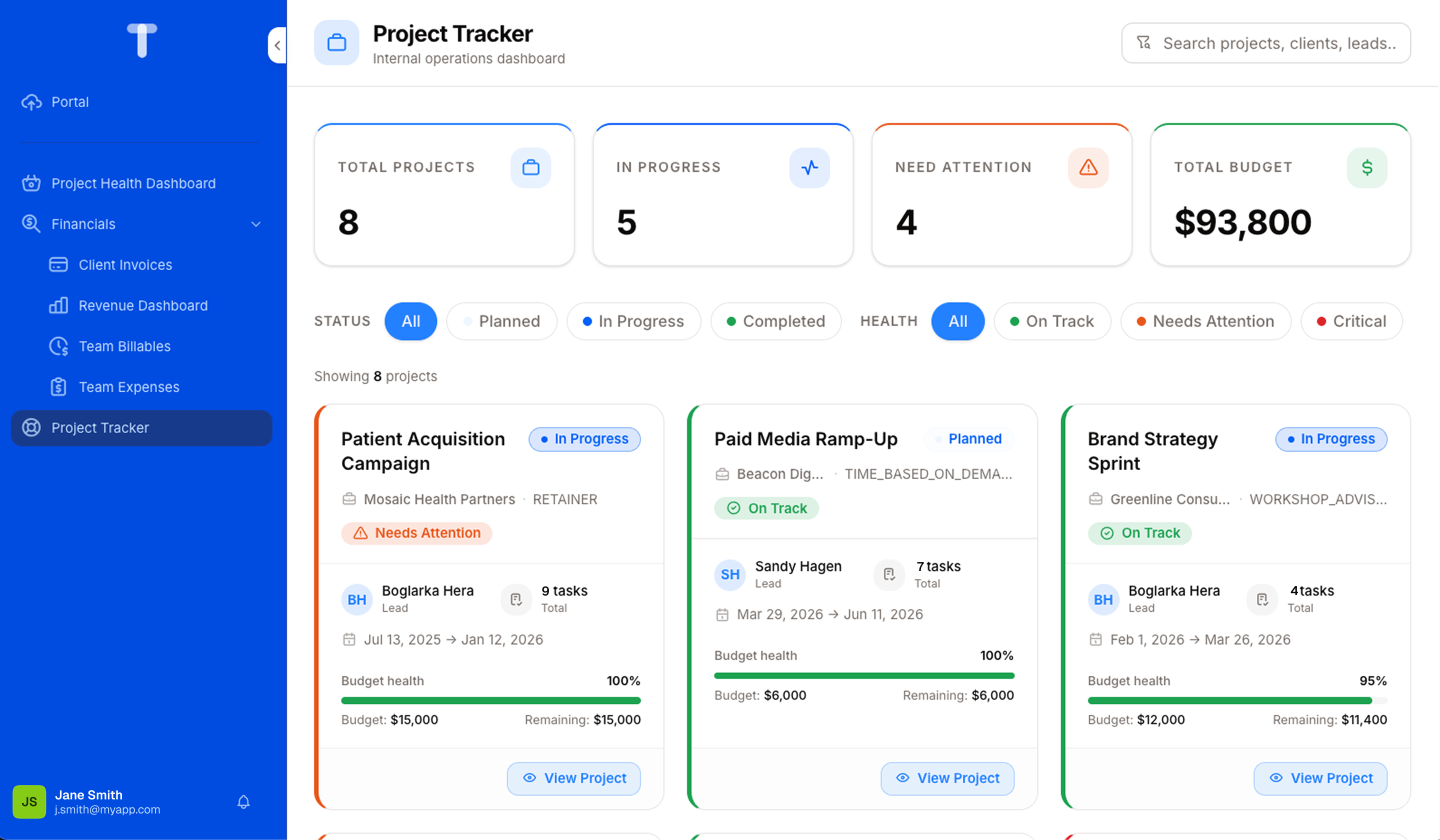
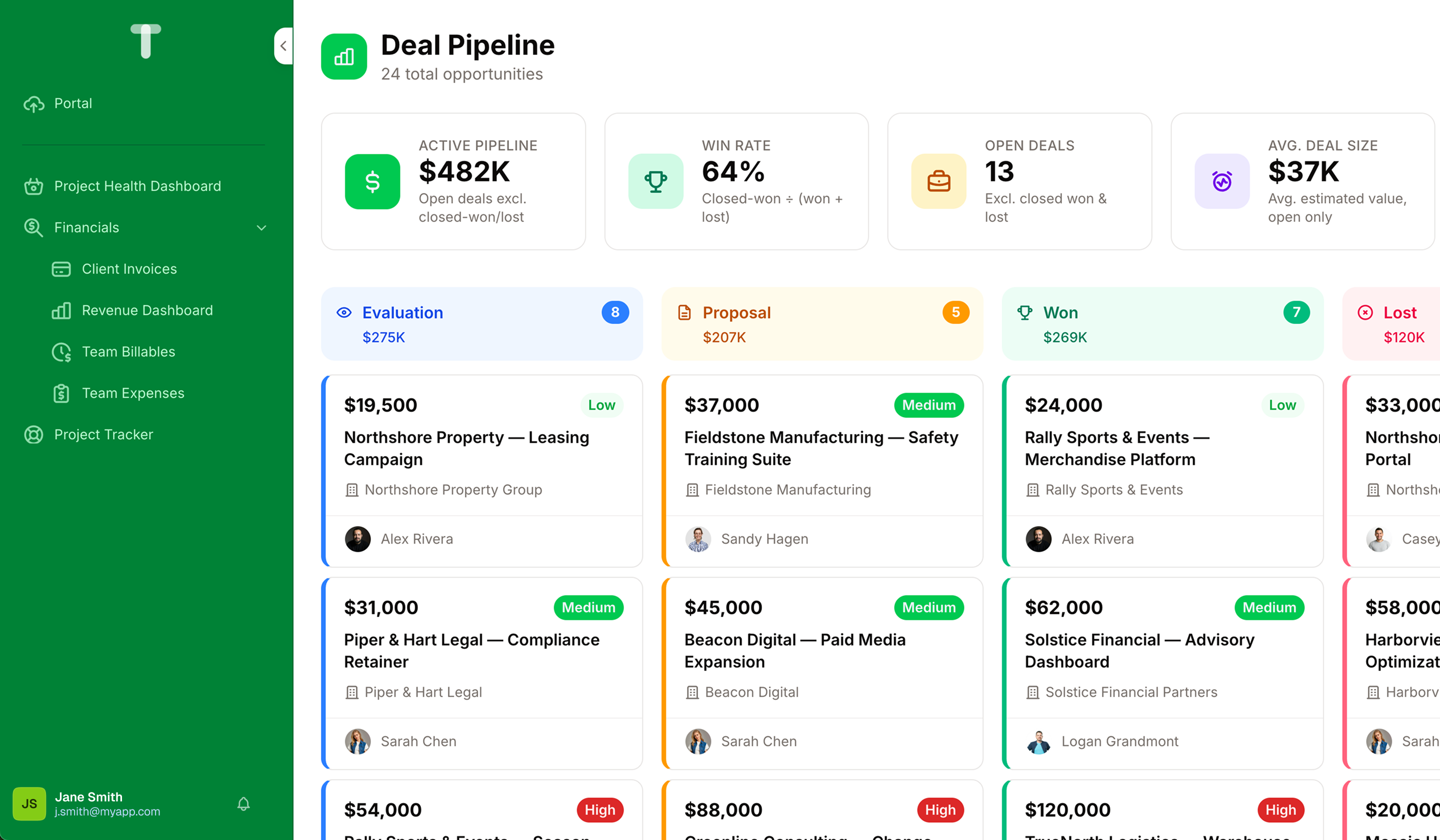
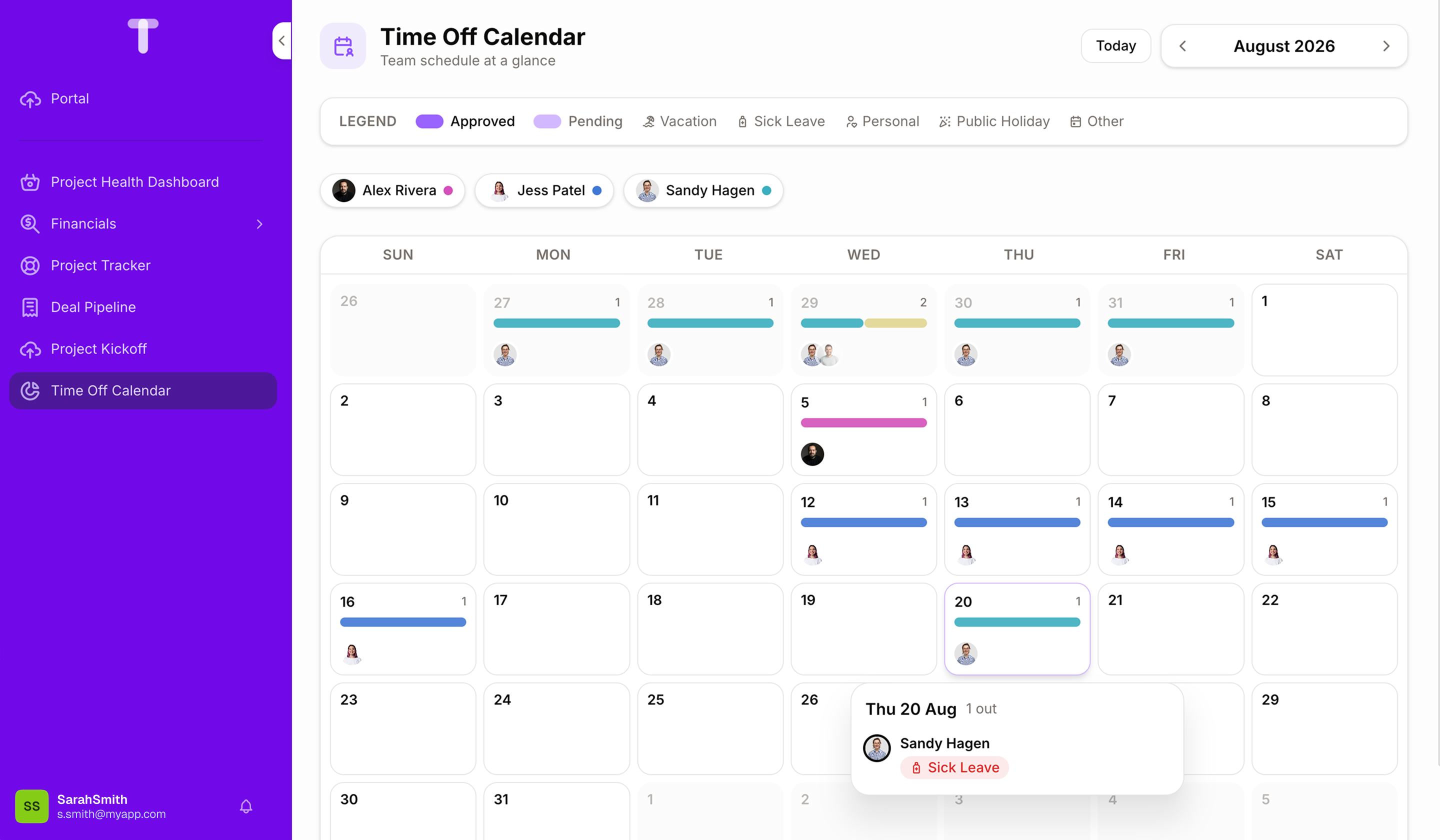
A client portal built with Noloco A project tracker built with Noloco A CRM deal pipeline built with Noloco A dashboard built with Noloco An HR app built with Noloco
Sounds familiar?

Where client portals fall short

Sharing an Airtable view isn't a client portal, it's a workaround. Noloco gives every client their own branded login where they see only their own records, in real time, with none of your internal data exposed.

Limited self-service

Clients still email you for basics: status, files, invoices.

Security gaps

Shared logins, unrestricted spreadsheets, no audit trail.

No real-time visibility

Updates live in your tool, not theirs, so they ask, you chase.

Start building in minutesNo credit card required
Data from Airtable, Google Sheets and databases in one Noloco portal

Stop copy-pasting between tools. Centralize it.

Pull data from Airtable, Google Sheets, PostgreSQL, MySQL, and more into a single portal, so you (and your clients) always see the same up-to-date information, without manual exports.

A client logged into their Noloco portal

Give clients 24/7 access without more work for your team

Replace “can you send me...” emails with a portal clients can log into whenever they want.

Automated workflows in Noloco

Automate the busywork around every client

Trigger workflows automatically (status changes, notifications, approvals) so nothing falls through the cracks and no one's manually updating records.

Getting started

How to get started in four simple steps

Step 1

Start your free trial

Sign up in seconds, no credit card required. Tell Nola, your AI app builder, what you need, and watch her build your portal in real time.

Nola building an app in Noloco
Step 2

Connect your data source

Connect Airtable, Google Sheets, or any supported source. Noloco syncs it in real time and builds your pages automatically.

Connecting data sources in Noloco
Step 3

Customize your portal

Add your logo, set your colors, and configure what each client can see and do, without writing code.

A branded client portal in Noloco
Step 4

Invite your team and clients

Assign roles, publish your portal, and share it. Everyone logs in to their own tailored view.

Inviting a client to a Noloco portal

Unlike other no-code tools, Noloco apps come with enterprise-grade auth, role-based permissions, and hosting included.

Real results from Noloco customers

50%
increase in billable hours
GAP Consulting →
60%
decrease in software costs
Redrock Entertainment →
24 hrs
saved per week
OH Visas →
AI-built. Business-ready.

The speed of AI. None of the compromises.

Describe the portal you need and AI builds it in hours, but what ships isn't a demo. It runs on real permissions, real security, and your actual data, ready for actual clients from day one.

Fast

From a description to a working client portal in hours, not months.

Secure

Role-based permissions and enterprise-grade access control, built in from day one.

Reliable

Runs on your real data and infrastructure, built to hold up under actual client use, not just a demo.

Sign up nowNo credit card required
Use cases

The client portal you wish you had

Client command centre

“Build a portal where clients can see project status and invoices, and a quick way to message their account manager.”
A client command centre built by Nola

Project dashboard

“Show clients a real-time health score across their projects, budgets, and invoices, all in one view.”
A client project dashboard built by Nola

Client pipeline & deal tracking

“I need a pipeline view showing every client from evaluation to won, with deal size and owner at a glance.”
A client pipeline built by Nola

Client onboarding

“Build an onboarding flow where new clients fill in project basics and timeline before we even kick off.”
A client onboarding flow built by Nola
Join 1,000+ happy teams using Noloco

Don't take our word for it

After trying out many low code/no code tools that failed to deliver, we finally landed on everything we need in Noloco. It allowed us to create a process that protects both sides of the equation: the client and the developer. Once you have that protected, our business flows.
Juan Sebastian Rohrmann
Founder, Singular Design
Clean UI, great customization, and the best support team I have ever experienced with any software. We needed an internal & client tool and evaluated other tools, we loved the flexibility and UI design of Noloco the best. Bright future for this team and product!
Clayton Garner
Clayton Garner
VP of Operations, Fergmar
With Noloco, we're able to onboard people very quickly and easily. The second they get that link, they're dropping all their documents, and filling in their information. Now I have everything and it's all tagged, rather than sending me an email with 20 attachments and having to sort through and organize them myself.
Melanie Baldridge
Melanie Baldridge
CEO & Founder, RE Cost Seg
Why teams choose Noloco

Noloco vs. the alternatives

vs. Spreadsheets and email

A portal, not a shared sheet

Clients log in to see their own projects, files and invoices, always up to date, instead of you chasing email threads and shared spreadsheets.

vs. Softr / Glide

More power, no pricing surprises

Real database connections and granular permissions, without the per-seat pricing that quietly balloons as your client list grows.

vs. Custom development

No developers needed

Live in days, not months, without hiring developers, managing a codebase, or waiting on an engineering team's backlog every time something needs to change.

vs. AI prototyping tools

AI that ships, not just demos

Vibe-coding tools generate something that looks like a portal after 20 prompts, but it still won't hold up once real client data hits it.

No compromises

AI-built. Enterprise-secured.

Set custom permissions so each client only sees their own data. No shared spreadsheets, no accidental exposure, just a personalized, secure experience for every account.

Granular permissions

Two-factor authentication

ISO/IEC 27001 certified

EU data storage

Pricing

A plan for every stage of your business

Every plan comes with a free trial. If Noloco isn't right for your team, cancel anytime, no questions asked.

Monthly Yearly Save 2 months
Free
$0/month

Best for creating your first app and evaluating the benefits of Noloco.

Get started for free

No credit card required

Free includes:

  • 30 free AI credits + 5/day
  • Unlimited team seats
  • 50 client seats
  • 2,000 records
  • Live chat + Community support
BuildRecommended
$65/month

For growing teams building client portals and internal tools to optimize workflows.

Get started for free

No credit card required

All features in Free, plus:

  • 250 AI credits/month included
  • 10 team seats, +$5/extra
  • 1,000 client seats
  • All data sources (Airtable, Sheets, Postgres, Xano, HubSpot, MySQL...)
  • 25,000 records
Enterprise
Custom

For organizations building flexible apps with extra volume, security controls, and dedicated support.

Talk to sales

No credit card required

All features in Build, with:

  • Custom AI credits
  • Custom team & client seats
  • Unlimited records
  • SSO/SAML, audit logs, data residency
  • Dedicated CSM + SLA
  • Full white-label
Auth & Permissions Built In
AI-Driven, Fully Customizable
White-Label Ready
Connect Any Database
Deploy in Minutes
GDPR Compliant
Connect the tools you already use: Airtable MySQL Postgres Google Sheets Xano SmartSuite

Plus thousands more apps through Zapier, Make and n8n.

Everything you need to know

Still have questions?

Noloco is built for businesses running complex operations that have outgrown their tools, from professional services and finance to education, transport, and field operations. If your work involves exceptions that don't fit a template, and you're the person holding it all together, you're in the right place. It's perfect for non-technical teams who want powerful systems without developers.
Yes, Noloco supports full white-labeling with custom domains and branding.
Yes. Noloco connects to Airtable, Google Sheets, PostgreSQL, MySQL, Xano, Supabase, and more. Your data stays where it is. Noloco puts an app on top of it.
Nola, our AI app builder, uses Claude to auto-build portals from your data, no coding required.
Yes. You can simply describe the system you need, such as a client portal, a project dashboard or a reporting workspace, and Nola will build it for you, on your existing data, permissions, and app structure. You can then refine it conversationally until it's right.
Client portals, project dashboards, resource planning tools, ticket triage systems, executive reporting workspaces, consultant utilization trackers, onboarding workflows, budget summary views, delivery pipelines, and more: pretty much any custom experience your team needs. If you can describe it, Nola will build it using your existing data and permissions.
Yes, all portals are fully responsive and work seamlessly on mobile devices.
Security is built in, not bolted on. Every Noloco app includes role-based access controls so you decide exactly who can see, edit, or delete each piece of data. Noloco is GDPR compliant and used by professional services firms that handle sensitive client data every day.
Yes. Your AI app builder, Nola, speeds up how you build, but what ships is real business software: the same permissions, security, and hosting infrastructure running Noloco apps for 1,000+ teams today. It's not a demo or prototype; it's built to run your business.
Yes, that's a core feature of Noloco. You can invite clients and other external users with their own secure login, and role-based permissions control exactly what they can see and do inside the portal. It works the same whether you're inviting one client or hundreds.
Yes. Noloco offers a free trial with full access to every feature, so your team can fully evaluate workflows, permissions, automations, and more. No credit card is required to get started.

Ready to fix how you work with clients?

Build your client portal in 30 minutes. Free trial. No credit card. Migration help included.

Build your portal today

No credit card required